
Building Shareable Learning Design Skills with Canvas MCP Integration
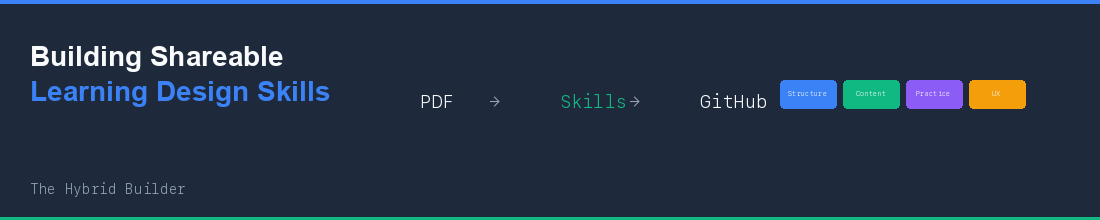
From a PDF of learning science principles to GitHub-ready Claude skills—a story about compounding AI capabilities and using skills to validate skills.

The Origin
It started with a LinkedIn post about the “Four Learning Design Pillars”—an evidence-based framework synthesizing multimedia learning research, cognitive load theory, and UX best practices into 46 actionable instructional design principles.
As an educator, I had the PDF in my teaching folder. Useful when I remembered to open it. Not so useful at 11pm when I’m designing a Canvas assignment and wondering if I’ve forgotten something important.
My thought: What if these principles could live inside my AI workflow? What if, when creating assignments or auditing courses, Claude could automatically reference these research-backed principles and tell me what’s missing?
Better yet: what if I could share these skills with other educators?
The Compounding Skills Insight
This project builds on a pattern I’ve been exploring: skills that create skills.
I already had /skill-creator—a skill that defines best practices for Claude Code skills. I already had canvas-mcp—an MCP server with 40+ tools for Canvas LMS. Now I was adding learning design principles that would compound with both.
The equation:
Principles (extracted from PDF) + Canvas MCP (LMS integration) + Skill validation (quality assurance) = Shareable educator tools
Each capability amplifies the others. That’s compound engineering.
Extracting Structure from PDF
The 12-page PDF contained rich content: 4 pillars, 13 categories, 46 numbered principles (like 1.1.1 Small segments or 3.2.4 Worked examples), each with research citations.
Claude Code’s first attempt hit the 2.4MB file size limit. We pivoted to Python extraction:
import fitz  # PyMuPDF
doc = fitz.open('learning-design-pillars.pdf')
for page in doc:
    print(page.get_text())
But I had already done something useful: created a JSON version with patterns and checks that the PDF didn’t have:
{
  "code": "1.1.1",
  "name": "Small segments",
  "rule": "Break learning content into small, manageable segments...",
  "patterns": ["micro-lessons", "chunked pages", "one-concept-per-screen"],
  "checks": [
    "Is content chunked into bite-sized units?",
    "Does each screen/page have a single primary idea?"
  ]
}
The patterns give implementation examples. The checks become verification questions for course audits. This is what makes the principles actionable for AI-assisted design.
Two Formats for Educators
We created both YAML and JSON, each serving different educator needs:
YAML — Extended with Canvas-specific guidance:
- id: "3.1.6"
  name: "Low-stakes practice"
  description: "Provide ungraded practice allowing learners to learn from mistakes..."
  canvas_application: "Use practice quizzes with unlimited attempts; separate formative from summative"
JSON — With patterns and verification checks for audits.
When you’re designing a Canvas assignment and wondering about low-stakes practice, the skill tells you: “Practice quizzes with unlimited attempts.” Specific. Actionable. Canvas-native.
Five Skills for Educators
We built five skills targeting common educator workflows:
SkillWhat It Does/learning-design-reviewReview any content against all 4 pillars with scores and recommendations/learning-design-checklistQuick verification checklists by pillar/canvas-assignment-designGuided assignment creation with principle-backed decisions/canvas-course-auditComprehensive course evaluation via canvas-mcp/canvas-feedback-templateGenerate learning science-backed feedback for grading
The Canvas skills integrate directly with canvas-mcp, fetching real course data to evaluate against principles:
// The audit skill fetches your actual Canvas data
modules = await canvas_mcp.list_modules(course_id);
assignments = await canvas_mcp.list_assignments(course_id);

// Then evaluates against specific principles
// "Are rubrics attached?" → Principle 1.3.4
// "Do modules have overview pages?" → Principle 1.3.2
Using Skills to Fix Skills
Here’s where it gets meta—and where compounding really shows.
I have a /skill-creator skill that defines Claude Code skill best practices. Time to use it on our new skills:
"Use the skill creator skill to validate things"The validation found real problems:
IssueImpactMissing YAML frontmatterClaude wouldn’t know when to trigger 2 skillsAbsolute paths (/Users/vishal/...)Would break for every other user456-line fileExceeds recommended 500-line limit
Without validation, I would have shipped broken skills.
The fixes applied themselves through the same AI workflow:
1. Added frontmatter with proper trigger descriptions:
---
name: canvas-course-audit
description: Audit a Canvas LMS course against the Four Learning Design Pillars.
  Use when educators want to evaluate course quality or prepare for redesign.
  Requires canvas-mcp server.
---
2. Converted paths to portable references:
Read from `{SKILL_DIR}/../principles/learning-design-pillars.yaml`3. Applied progressive disclosure — moved 90 lines of detailed audit tables to references/audit-criteria.md. The main skill stays lean; detailed tables load only when performing an actual audit.
Post-validation, all 5 skills passed:
SkillLinesStatuslearning-design-review226✓learning-design-checklist204✓canvas-assignment-design445✓canvas-course-audit374✓canvas-feedback-template186✓
This is the compounding pattern: skill-creator (built months ago) validates learning-design skills (built today), which integrate with canvas-mcp (built last year). Each tool makes the others more powerful.
What Educators Actually Get
Let’s be concrete about the value for educators:
/learning-design-review — Paste your syllabus, assignment description, or course outline. Get:
Scores for each pillar (1-5 scale)
Strengths: “Clear learning objectives at module start (1.3.1)”
Gaps: “No time estimates provided (4.3.2)”
Priority recommendations ranked by effort
/canvas-course-audit BADM_350 — Point it at your Canvas course. It:
Fetches your modules, assignments, discussions via canvas-mcp
Evaluates 50+ criteria with Canvas-specific checks
Generates report with Quick Wins (<1 hour) vs. Major Redesigns
/canvas-assignment-design "case study analysis" — Creates assignments with:
Learning objectives using action verbs
Scenario framing (Principle 2.3.4 Storytelling)
Time estimates (Principle 4.3.2)
Rubric criteria aligned to objectives
Optional direct creation in Canvas
/canvas-feedback-template --rubric — Generates feedback that’s:
Targeted: specific to what the student did (3.2.1)
Encouraging: leads with strengths (3.2.2)
Actionable: concrete next steps
Ready for SpeedGrader comment library
From Local to Shareable
With validation passing, shipping to GitHub was one command:
gh repo create learning-design-pillars --public \
  --description "Claude skills for evidence-based learning design with Canvas integration" \
  --source=. --push
The repo is live: github.com/vishalsachdev/learning-design-pillars
For any educator to use:
git clone https://github.com/vishalsachdev/learning-design-pillars.git \
  ~/.claude/skills/learning-design-pillars
Then: /learning-design-review, /canvas-course-audit COURSE_ID, etc.
The Reusable Pattern
This session demonstrated a workflow any educator (or domain expert) can follow:
Source material → PDF, documentation, expertise in static formats
Extract structure → JSON/YAML with actionable fields (patterns, checks, applications)
Create skills → Package into Claude skills with proper triggers
Validate with existing skills → Use skill-creator to catch issues before sharing
Integrate with MCP servers → Connect to real tools (Canvas, databases, APIs)
Share on GitHub → Let the community use and improve
The same pattern works for: rubric standards, accessibility guidelines, institutional policies, discipline-specific frameworks.
What’s Next
The principles are extracted. The skills are validated. The repo is public.
Now comes real usage. Every assignment I design this semester runs through /canvas-assignment-design. Every course audit uses the integrated workflow. The skills will evolve based on what actually helps in practice.
If you’re an educator using Canvas—or interested in evidence-based learning design—the skills are ready:
github.com/vishalsachdev/learning-design-pillars
Clone, customize, contribute. That’s the power of shareable, compounding skills.
Related reading:
Resources:
canvas-mcp — Canvas LMS MCP server (40+ tools)
learning-design-pillars — The skills from this article